
Loading the creation workspace…
AI Photo Editor – Edit Any Photo with AI
Edit, transform, and restyle your photos with simple text prompts. Change backgrounds, objects, outfits, colors, and more without complex editing tools.
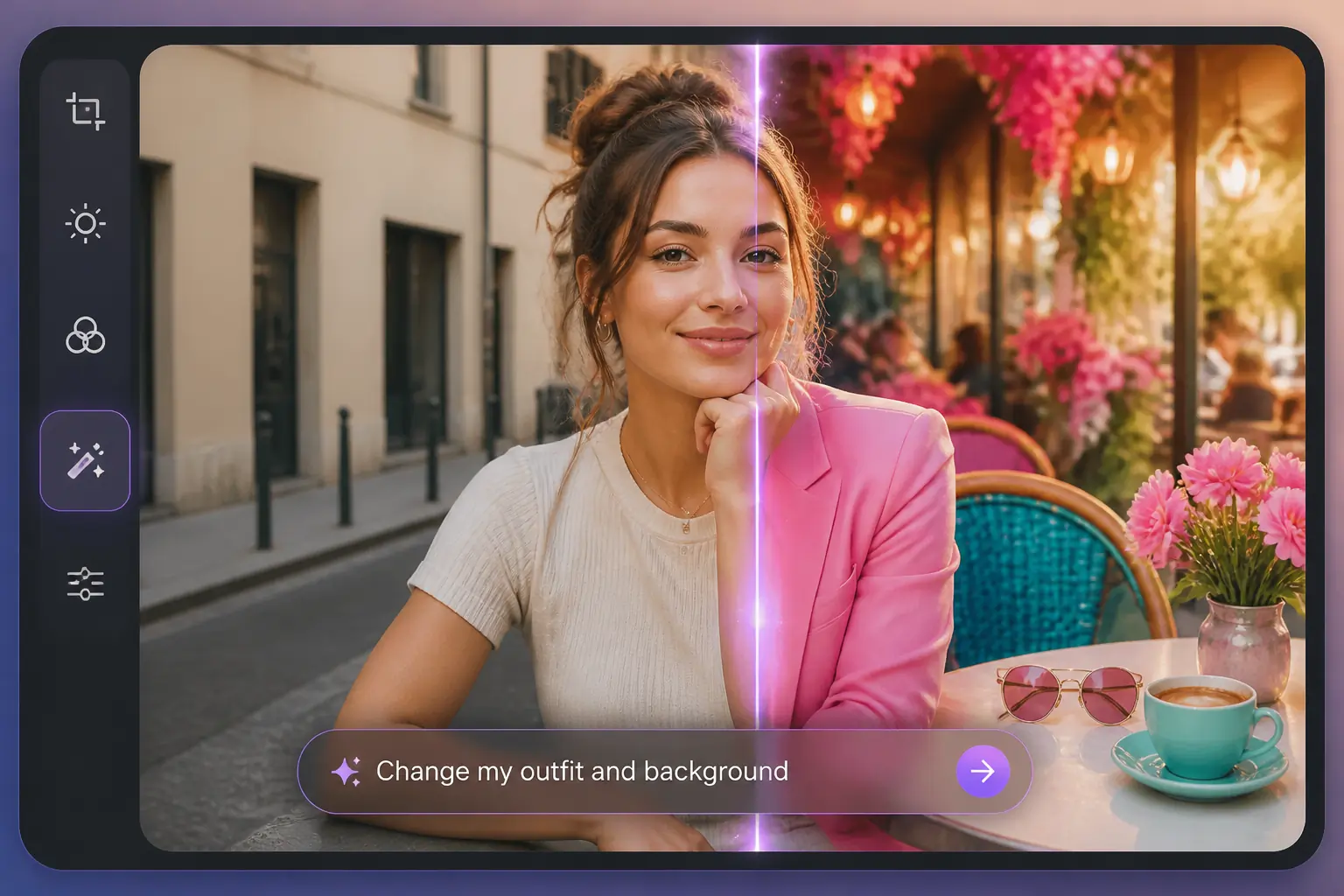
What Is an AI Photo Editor?
An AI Photo Editor lets you edit and transform photos with simple text prompts. Describe what you want to change, and AI can modify backgrounds, objects, outfits, colors, styles, and more. Want to improve image quality instead? Try our AI Image Enhancer to enhance clarity and details.
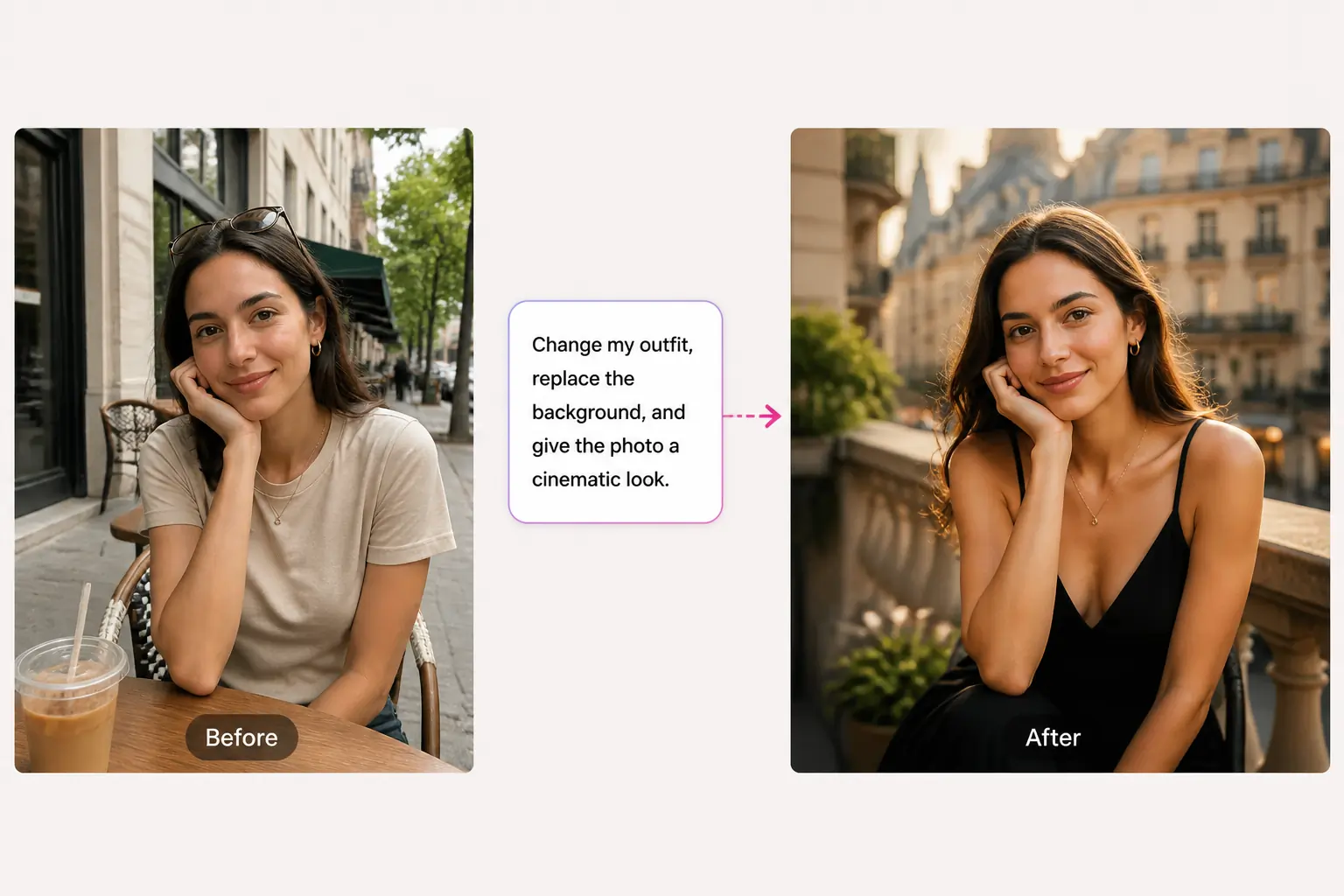
How to Edit a Photo with AI
Edit your image with AI in 3 simple steps.
Step 1 – Upload Your Image
Choose the photo you want to edit.
Step 2 – Describe Your Edit
Enter a text prompt explaining what you want to change and select your preferred image settings.
Step 3 – Generate Your Photo
Let AI apply your changes, then preview and save the edited image.
Why Choose AIKissfiy's AI Photo Editor?
Simple Prompt-Based Editing
Describe the changes you want in everyday language instead of working with complicated manual editing tools.
Flexible Creative Control
Change backgrounds, objects, outfits, colors, styles, and other visual details from one simple editing workspace.
Natural-Looking Results
AI works with your original image to create edits that remain visually consistent with the subject, lighting, and surrounding scene.
Easy Online Editing
Edit photos directly in your browser without installing professional photo editing software.
Fast AI Processing
Turn your editing ideas into finished images in just a few simple steps.
No Advanced Editing Skills Required
Upload an image, enter a prompt, and let AI handle the complex editing process for you.
Edit Photos Your Way with AI
Transform Photos with Simple Prompts
Turn your ideas into visual edits without manually selecting every part of the image. Describe what you want to change, from a small detail to an entirely new look, and let AI handle the transformation. Use prompts to adjust clothing, colors, surroundings, objects, and other visual elements while keeping the editing process simple.
Edit My Photo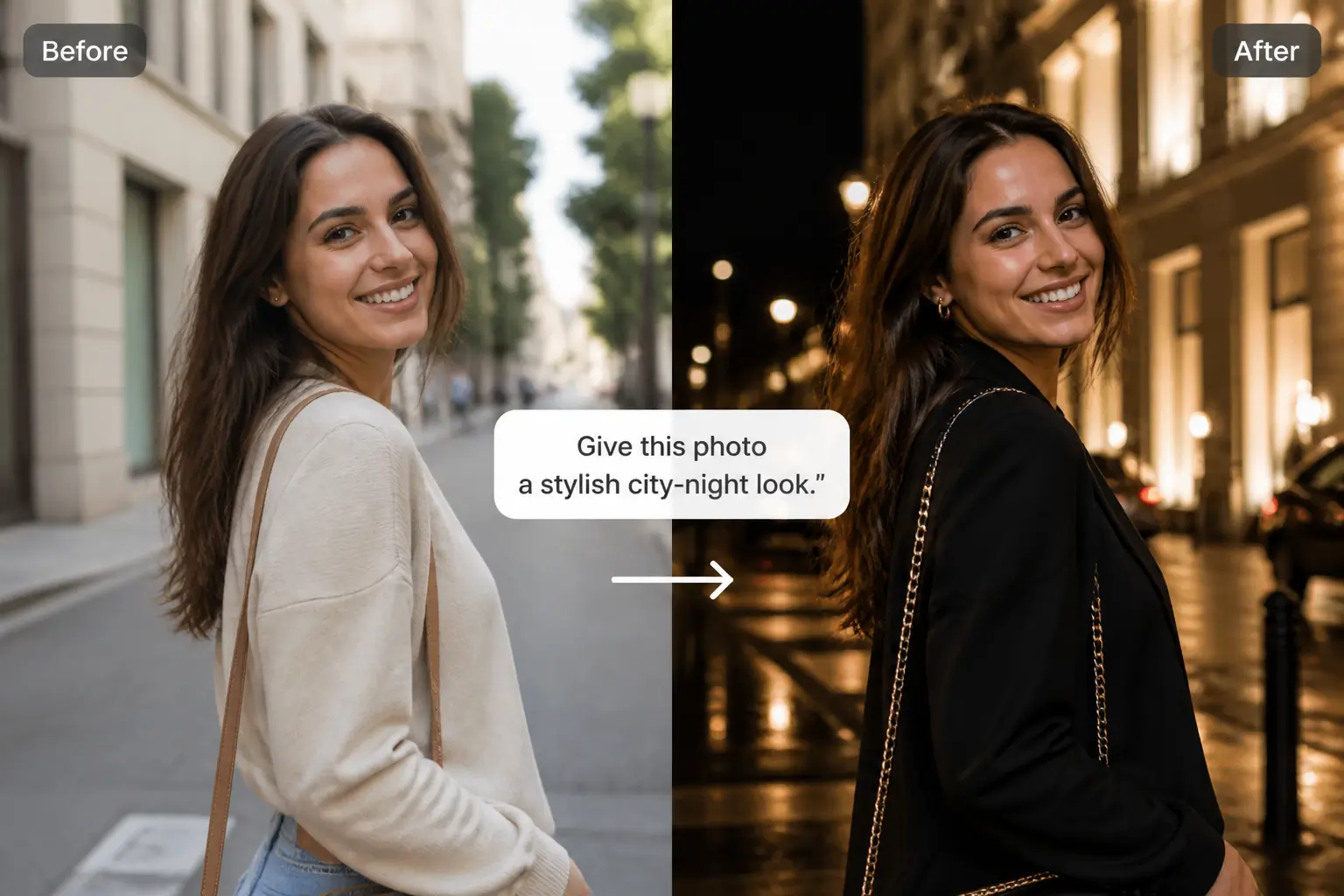
Change Anything in Your Photo
Replace backgrounds, change outfits, adjust colors, remove unwanted elements, or add new details with simple text prompts. Create different versions of the same photo without manually selecting or editing each part of the image.
Edit My Photo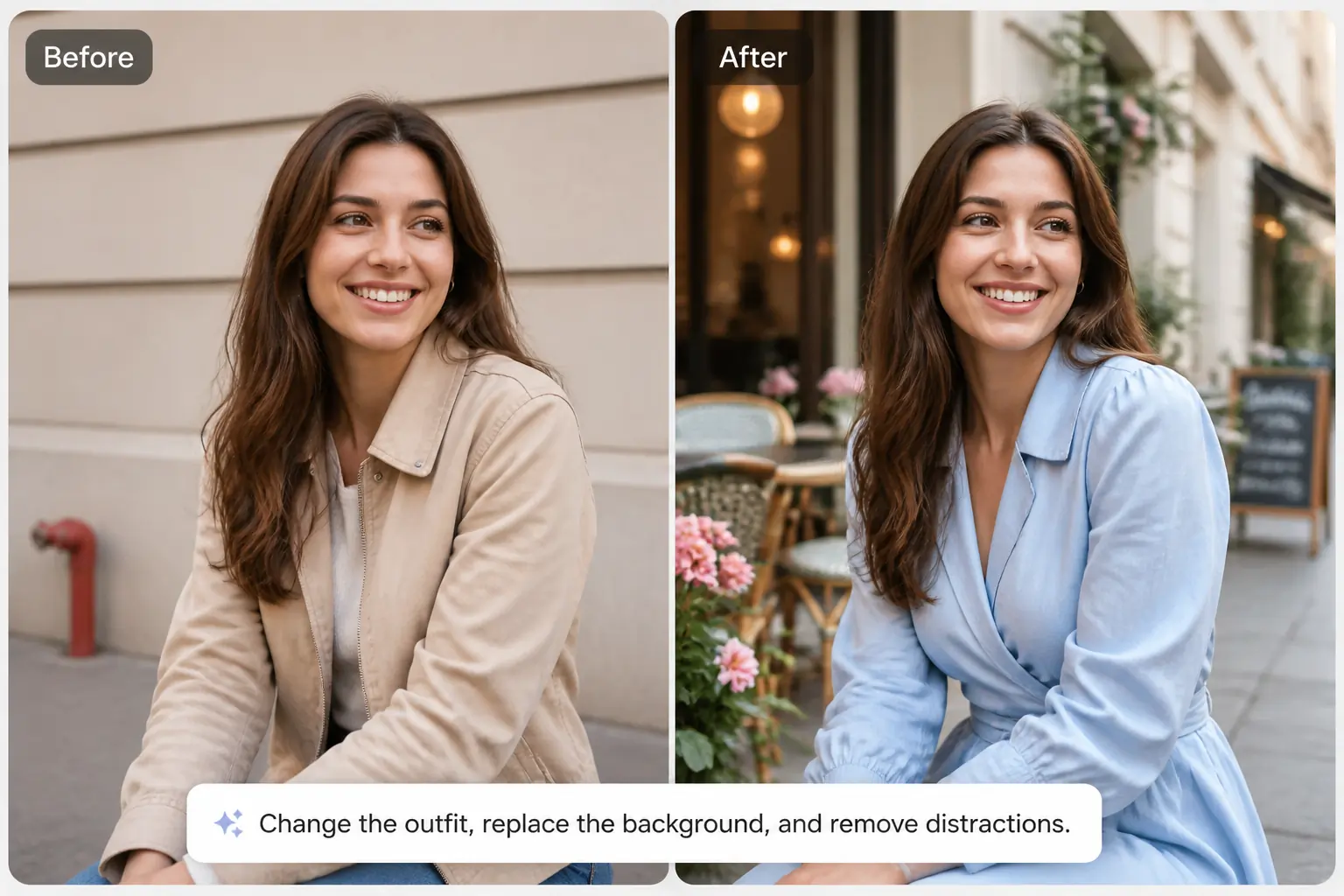
Restyle Photos for a New Look
Give an existing photo a fresh visual direction. Turn everyday images into cinematic, vintage, professional, artistic, lifestyle, or social-ready styles while keeping the original subject recognizable. Want to experiment specifically with your appearance? Try the AI Hairstyle Changer or AI Hair Color Changer for more focused hair edits.
Edit My Photo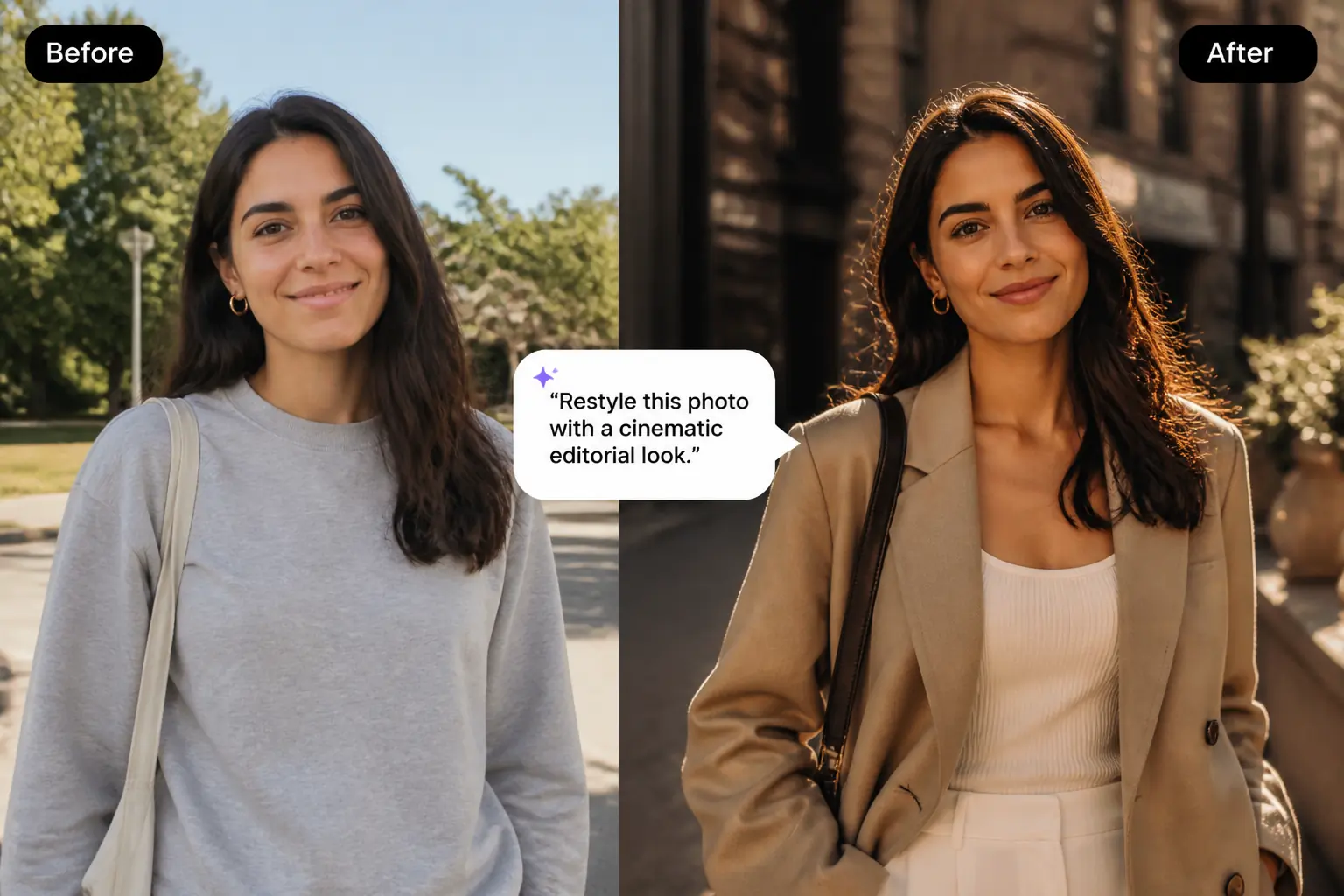
Adapt Photos for Different Creative Needs
Use AI editing to refresh photos for profile images, social posts, creative projects, lifestyle content, and different visual formats. If the original image is cropped too tightly or needs more space, use the AI Image Expander to extend the photo beyond its original frame.
Edit My Photo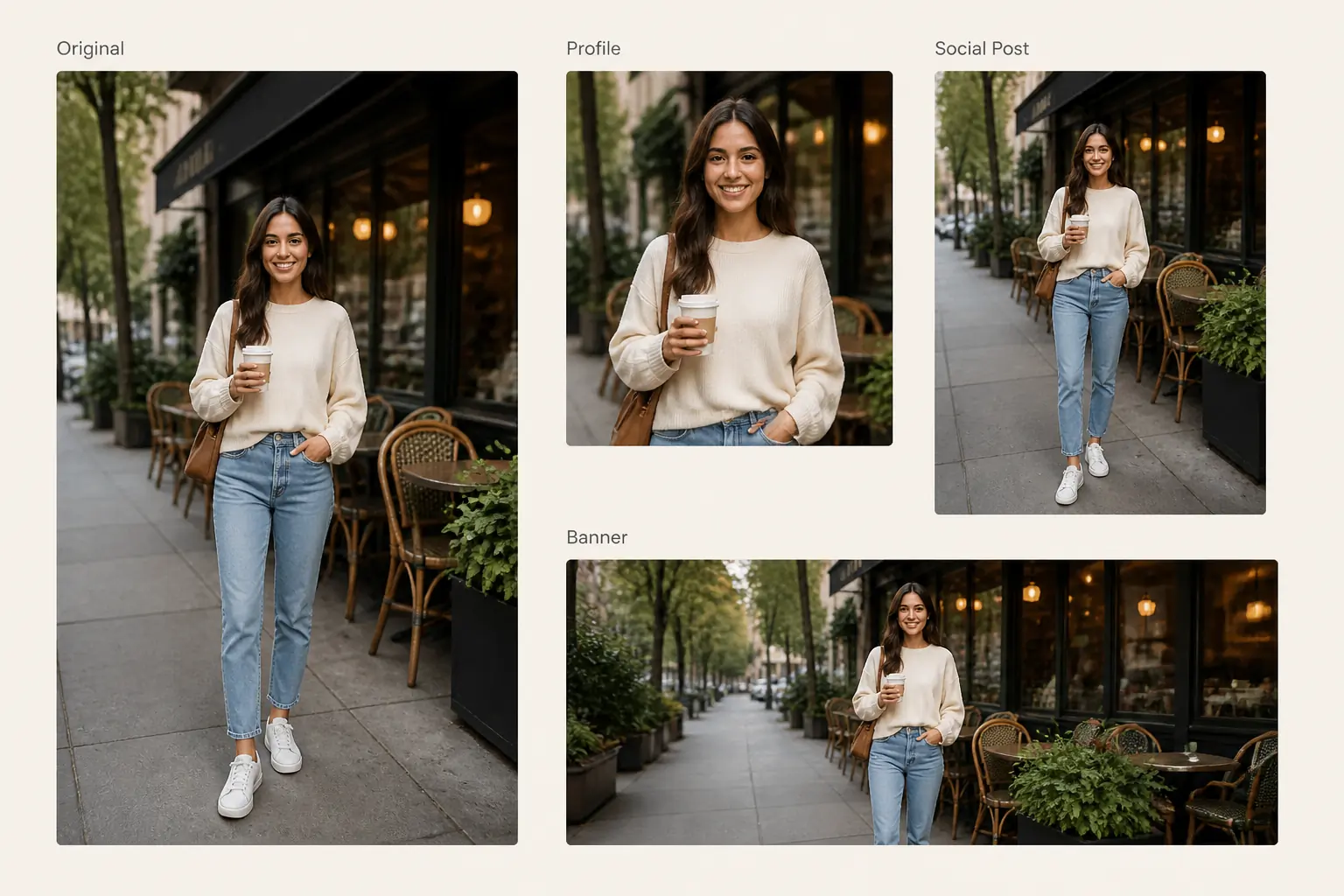
Explore More
Continue creating and editing your photos with AIKissfiy. Improve image quality, adjust backgrounds, or create entirely new looks with AI.
Ready to Edit Your Photo with AI?
Upload an image, describe your idea, and turn it into a new photo with AI in just a few simple steps.
Free Credits Available
What Users Can Do with AIKissfiy's AI Photo Editor
The prompt editing process is really straightforward. I can simply describe what I want to change instead of figuring out complicated editing controls.
Review Placeholder 1
I used it to change the background and adjust a few details in my photo. The whole process felt much faster than editing everything manually.
Review Placeholder 2
I like being able to experiment with different looks from the same photo just by changing the prompt.
Review Placeholder 3
The workflow is simple: upload an image, describe the edit, and generate a new version.
Review Placeholder 4
It makes it easy to test different outfits, backgrounds, and styles without creating a completely new photo from scratch.
Review Placeholder 5
I mainly use it when I have a specific visual idea but don't want to spend time editing every detail manually.
Review Placeholder 6
Have Questions About AIKissfiy's AI Photo Editor?
An AI Photo Editor uses artificial intelligence to edit or transform images. Instead of manually adjusting every part of a photo, you can describe the changes you want and let AI generate the edited version.
Upload your image, enter a prompt describing what you want to change, choose your preferred settings, and let AI generate the edited photo.
Yes. AIKissfiy works as an AI image editor with prompt input, allowing you to describe your desired changes using simple text instructions.
You can describe edits such as changing a background, replacing an object, modifying an outfit, adjusting colors, adding visual elements, or restyling the entire photo. Clear and specific prompts usually make your intended result easier for AI to understand.
You can edit backgrounds, objects, outfits, colors, styles, environments, and many other visible parts of an image. The exact result depends on your original photo and the prompt you provide.
Yes. Describe the new environment or background you want and let AI generate the edited image. If you only need to isolate the subject, use the AI Background Remover.
The AI Photo Editor can make visual changes based on your prompt. If your main goal is improving sharpness, clarity, or image detail, the AI Image Enhancer is designed specifically for that task.
No. The AI Photo Editor is designed around text instructions, so you don't need advanced experience with layers, masks, brushes, or professional editing software.
Traditional photo editors usually require you to manually select areas and adjust settings. An AI Photo Editor can interpret natural-language prompts and automatically generate many types of edits.
You can use the AI Photo Editor for portraits, couple photos, lifestyle images, travel photos, social media content, fashion images, and many other common photo types.
You can choose available image settings when generating your edit. If you specifically want to extend the image beyond its original borders, try the AI Image Expander.