
Loading the creation workspace…
AI Image Expander – Expand & Uncrop Images with AI
Add more space around your photos, extend backgrounds, and uncrop images online with AI.
How to Expand an Image with AI
Expand or uncrop your image in 3 simple steps.
Step 1 – Upload Your Image
Choose the photo you want to expand.
Step 2 – Choose a Size
Select the aspect ratio or area you want to extend.
Step 3 – Expand with AI
Let AI fill the new space and download your image.
What Is an AI Image Expander?
An AI Image Expander is an online tool that extends photos beyond their original borders by generating new visual content around the image. It can uncrop an image, extend a background, or create extra space without cutting away the original photo. AI analyzes the existing scene and fills the new area to match the surrounding colors, lighting, and composition.
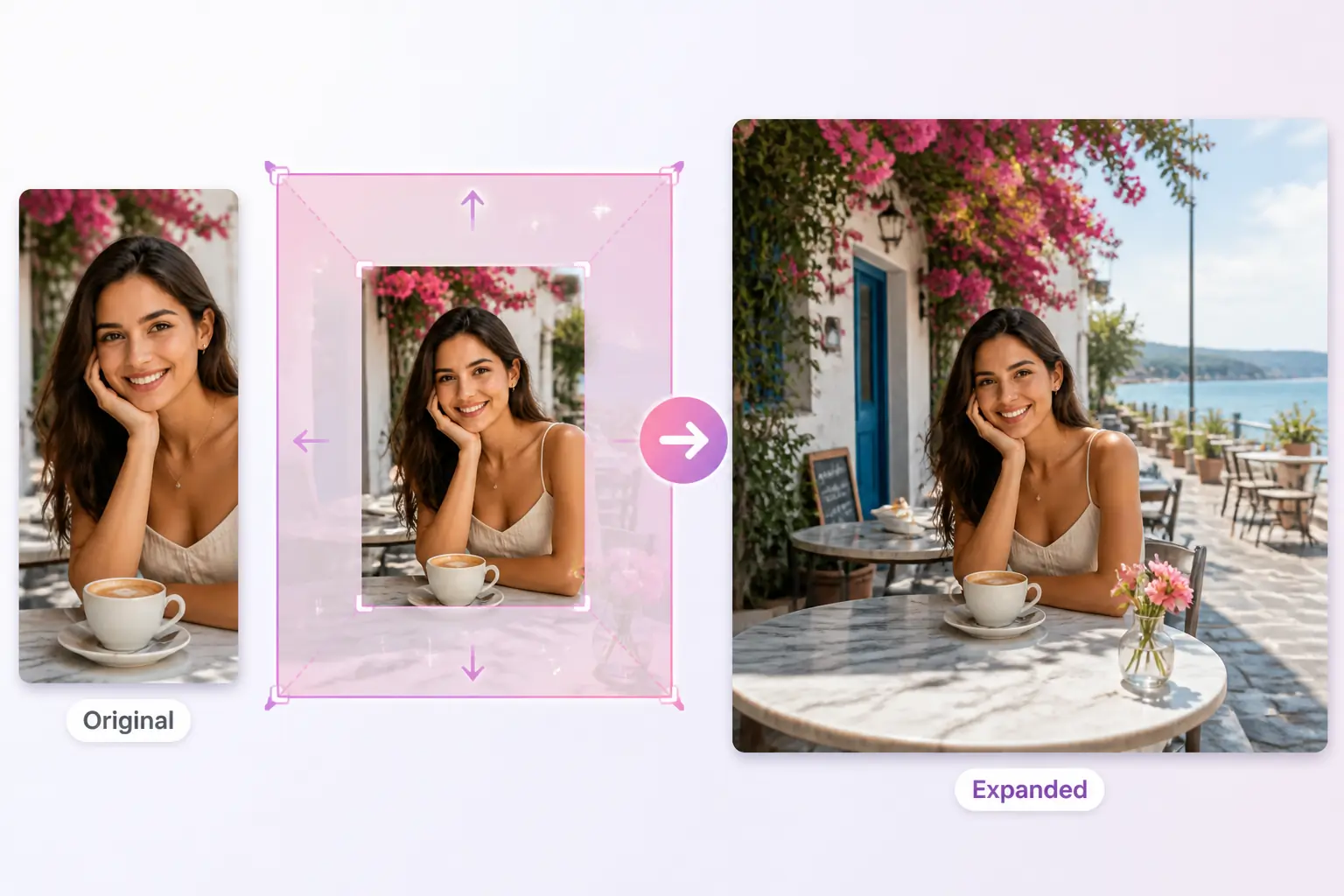
Why Choose AIKissfiy's AI Image Expander?
Easy Online Editing
Expand images directly in your browser with a simple workflow. No complicated setup or editing software is required.
Natural-Looking Results
AI analyzes the original image and generates new areas that blend naturally with the existing background and composition.
Flexible Image Sizes
Expand portrait, square, or landscape images to fit different aspect ratios and creative layouts.
Fast AI Processing
Save time on manual background editing and let AI create the extended areas in just a few simple steps.
Keep Your Original Photo
Add more space around your image without cropping away important subjects or details from the original frame.
No Editing Skills Required
You don't need Photoshop or professional design experience. Simply upload your image and let AI handle the expansion.
Make More of Every Image
Create more room for your ideas while keeping the important parts of every photo.
Keep More of the Original Photo
Expand your image instead of cropping away important parts of the scene. Keep the original subject and key details while creating more space naturally.
Adapt One Image to More Formats
Turn portrait, square, or landscape photos into the layout you need. Expand the canvas with AI so the same image works across platforms and designs.
Create More Space for Your Ideas
Add extra room around your subject for text, captions, logos, or other design elements without manually rebuilding the background.
Improve Tight or Awkward Composition
Give closely cropped photos more breathing room and create a more balanced frame for portraits, couple photos, product images, and lifestyle shots.
Explore More
Continue creating and editing your photos with AIKissfiy. Improve image quality, adjust backgrounds, or create entirely new looks with AI.
Give Your Photos More Space with AI
Upload your image, extend the background, and create the size or composition you need in just a few clicks.
What Users Say About AIKissfiy's AI Image Expander
The original photo was cropped too closely around me. Expanding the background gave it much more space without changing the part I wanted to keep.

Emma R.
I needed a landscape version of a portrait photo. The image expander made it much easier than rebuilding the background manually.

Daniel M.
I use it when photos don't fit the format I need. Uploading an image and extending the sides is really straightforward.

Sophia L.
The uncrop feature helped me improve the framing of an older photo that felt too tight.

Chris T.
I often need extra room around images for text. Expanding the photo gives me much more flexibility when designing social posts.

Olivia K.
The whole process is simple. I choose the image, select the new size, and let AI fill the extra space.

Ryan P.
Have Questions About AIKissfiy's AI Image Expander?
An AI Image Expander extends a photo beyond its original borders by generating new content around the existing image.
Yes. AI uncrop tools generate new areas beyond the original edges of a photo, giving tightly cropped images more space.
Expanding adds new content beyond the original borders. Enlarging usually increases the dimensions or resolution of the existing image without adding new scene content.
Yes. AIKissfiy can extend the area surrounding your photo and generate new background content that follows the original scene.
Yes. Expand your image to create additional space and better fit portrait, square, landscape, or other aspect ratios.
No. AI image expansion adds new content around the original frame instead of removing existing parts of your photo.
You can expand portraits, couple photos, lifestyle images, product photos, social media images, and many other common photo types.
You can try AIKissfiy's image expander using available free credits. Additional generations or premium features may require credits.
No. AIKissfiy works online, so you can expand and uncrop images without Photoshop or advanced editing skills.
They perform very similar tasks. Both extend content beyond the original image boundaries, while uncrop usually emphasizes adding space around a tightly cropped photo.